For training partnersTraining partnersBuild and score
Create an assessment
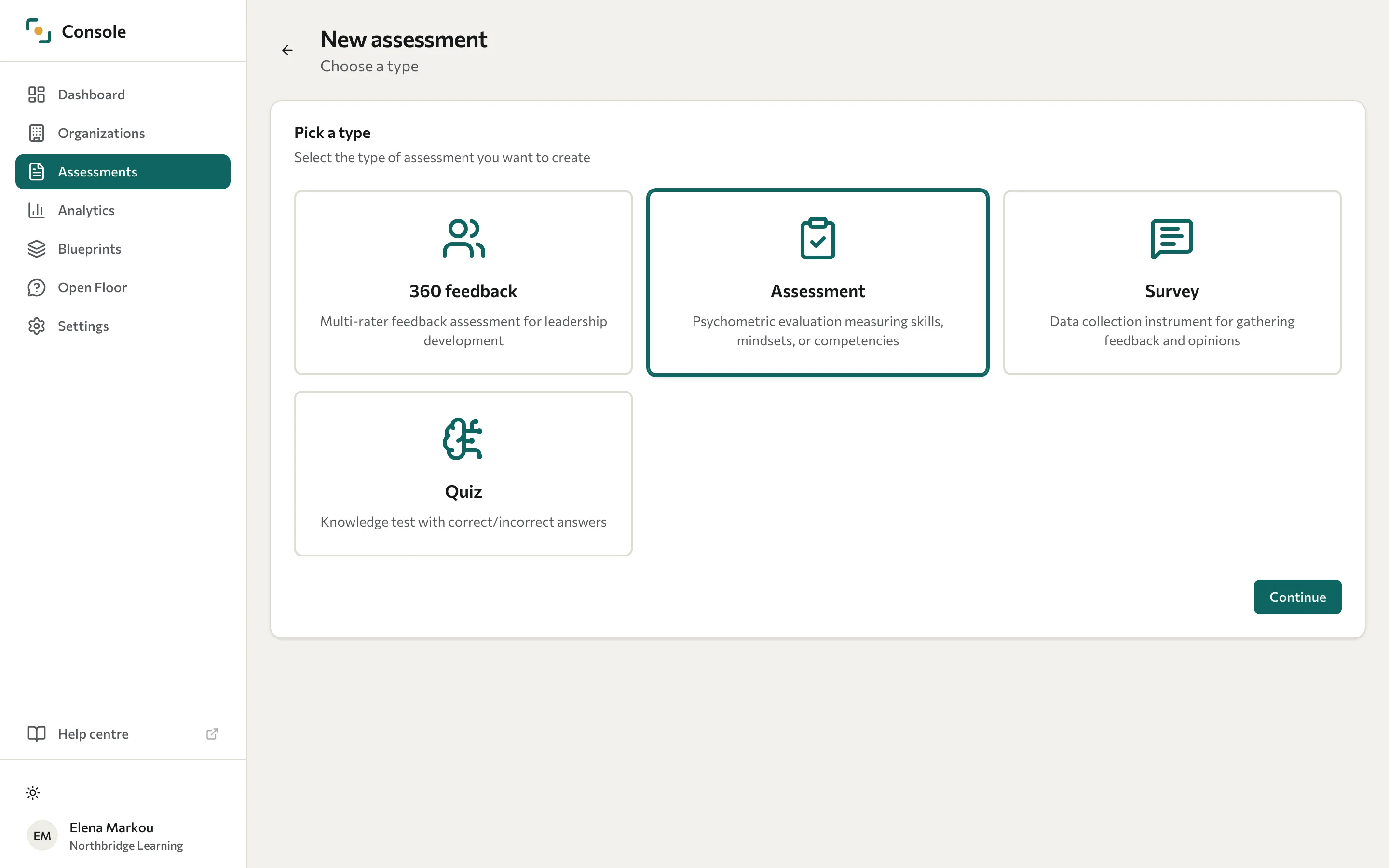
Choose a category, enter the details, and open the assessment workspace.
Sign in to the Console with an account that can create assessments. Decide which category fits the work before adding questions.
- Open Assessments and select New assessment.
- Under Pick a type, select Assessment, Survey, Quiz, or 360 feedback, then select Continue.
- Enter a title and optional description.
- Choose the Primary language. This is the source language for later translations.
- Select Create assessment.
Datatrap opens the workspace. Overview, Builder, and Translations are common areas. Ordinary collection uses Waves. Assessment and Quiz have a Feedback tab for the feedback participants read when they finish; a 360 adds campaign settings, roster, monitor, and reporting.
| Category | Use it for |
|---|---|
| Assessment | Measures scored through a blueprint. |
| Survey | Opinions and feedback analysed as responses. |
| Quiz | Knowledge questions and correctness analytics. |
| 360 feedback | Feedback about a person from several raters. |
See Assessment categories for details. Next, build the questions.