Take an assessment
Open your link, answer the questions, and confirm that your response was submitted.
You can answer on a phone, tablet, or computer. You do not need a Datatrap account. The time required depends on the questions your organiser has included.
The English control names appear below; translated assessments can show them in another language.
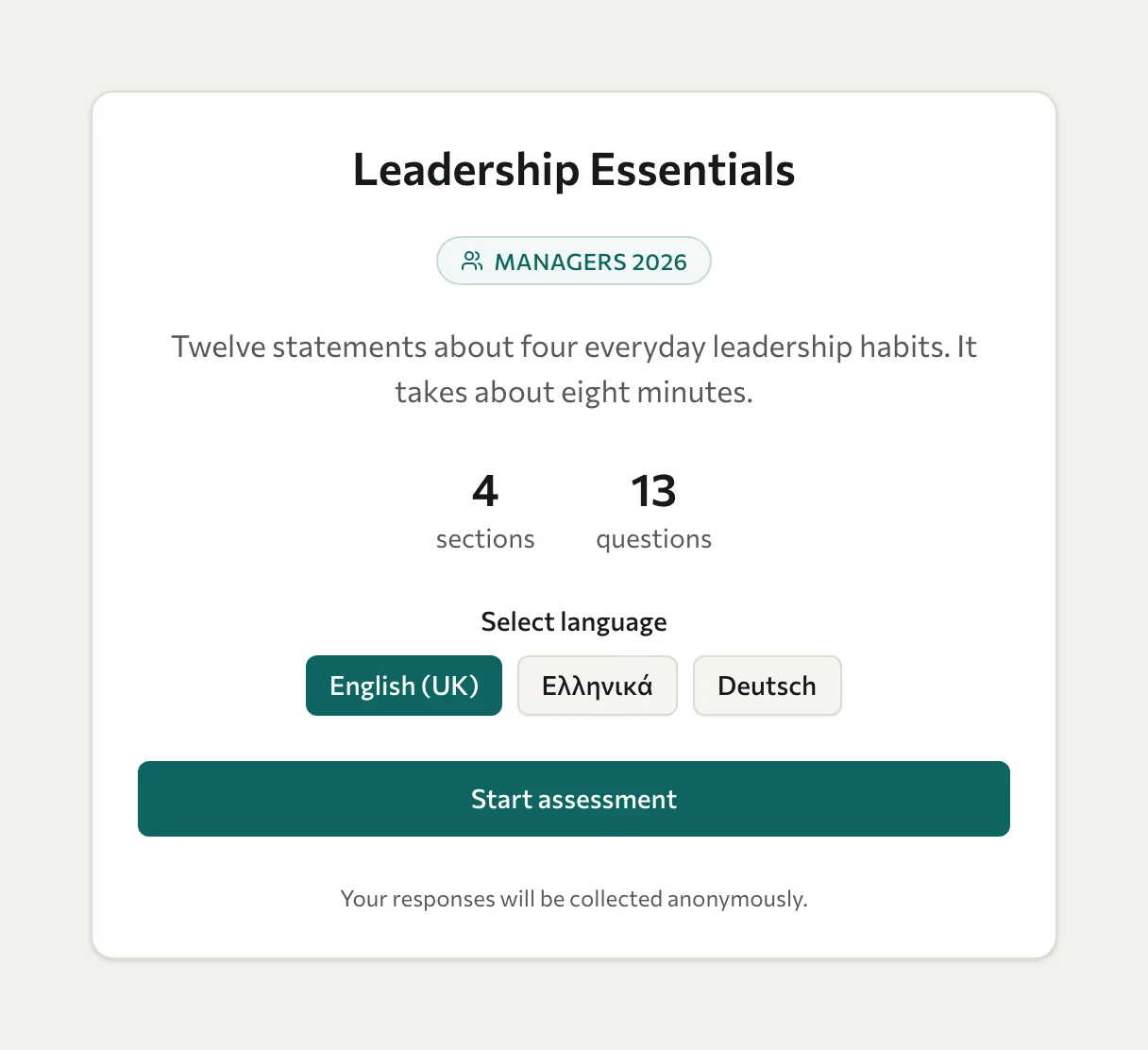
Complete the questions
- Open the invitation link or scan the QR code.
- If several languages are available, select the one you want.
- Select Start assessment.
- Answer the questions in each section. Select Next section to continue, or Previous section to review an earlier answer.
- On the last section, select Complete assessment.
- For an identified assessment, enter your name and email address when asked, then select Submit assessment. An anonymous assessment submits without collecting these identity details.
- Wait for the confirmation that your responses were submitted successfully.
Closing the page before confirmation can leave the assessment incomplete. If submission fails, keep the tab open and use the retry control when your connection is available.
Answer rankings and required questions
For a ranking question, drag options into order or use the move-up and move-down buttons. If the starting order already matches your answer, use the control to confirm that order. Keyboard users can use the question's ordering controls.
A required matrix needs an answer for each required row. If the next step is blocked, review the highlighted questions and the message explaining what remains unanswered.
Keep your draft
Datatrap saves your answers in your browser on this device as you go. Your answers are only sent to your organiser when you submit.
- Kept: if you refresh the page, close the tab or the browser, or open the same link again later in the same browser.
- Lost: if you clear your browser data, answer in a private window and then close it, or open a different assessment link in the same browser. The browser keeps one draft at a time.
- Not shared: the draft stays on this device and browser. To continue, use the same device and browser you started on.
Your name and email address are not saved with the draft. The draft is removed once your submission succeeds.
After submission
You may see feedback and report options, depending on the assessment setup. See View your results. If your link is unavailable or your email has already been used for the wave, contact the organiser rather than entering a different identity to bypass it.