Manage client organisations
Create a client organisation and keep its cohorts and Portal accounts together.
Use Organizations in the Console to manage the clients you work with. Your own training-partner organisation is marked Internal; client organisations are marked Client.
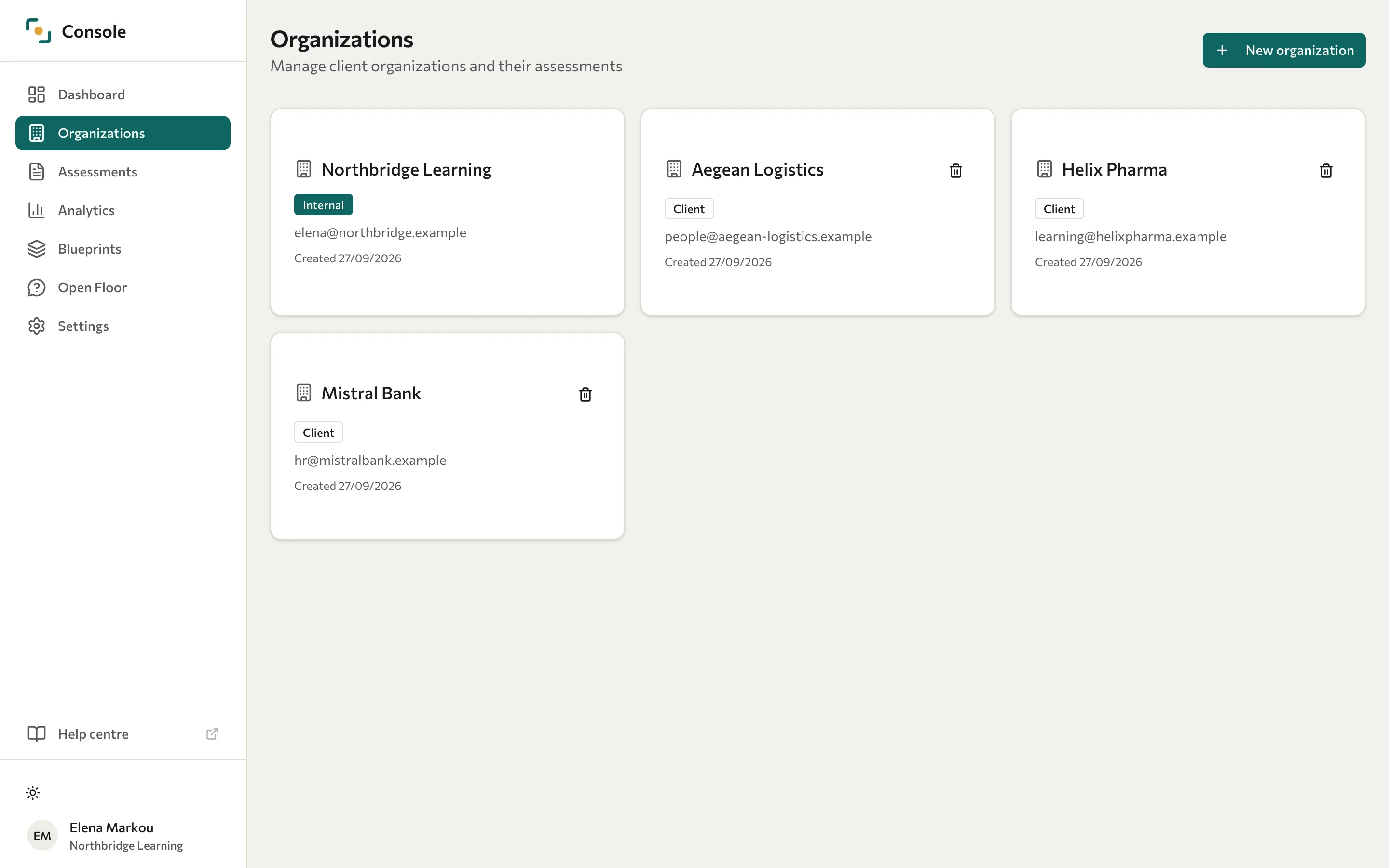
Create an organisation
- Open Organizations and select New organization.
- Enter the Organization name and Contact email.
- Select Create organization.
- Open the new organisation to review its details and manage Portal users.
When deploying an assessment, choose the intended organisation for the cohort. Leaving that choice unset can put the cohort in your own internal organisation. See Deploy an assessment.
Give a client access
Open the organisation's Portal users tab to create or update its sign-in accounts. See Manage users and access. A Portal user account is separate from a participant record used for assessment answers.
Delete an organisation
Deletion is destructive and can remove associated participants, cohorts, and responses. Confirm the data that must be retained and use the organisation's approved process before continuing.
Select the bin icon on the organisation card, review the confirmation, and confirm the deletion only for the intended client. The internal organisation cannot be deleted through this workflow.