Manage training-partner data access
As a client admin, choose how much of your organisation's data your training partner can see.
A Client admin can choose how much of your organisation's data your training partner can see. The setting applies to the training partner. It does not change what your own Portal users can see, or what each person rated in a 360 sees of their own results.
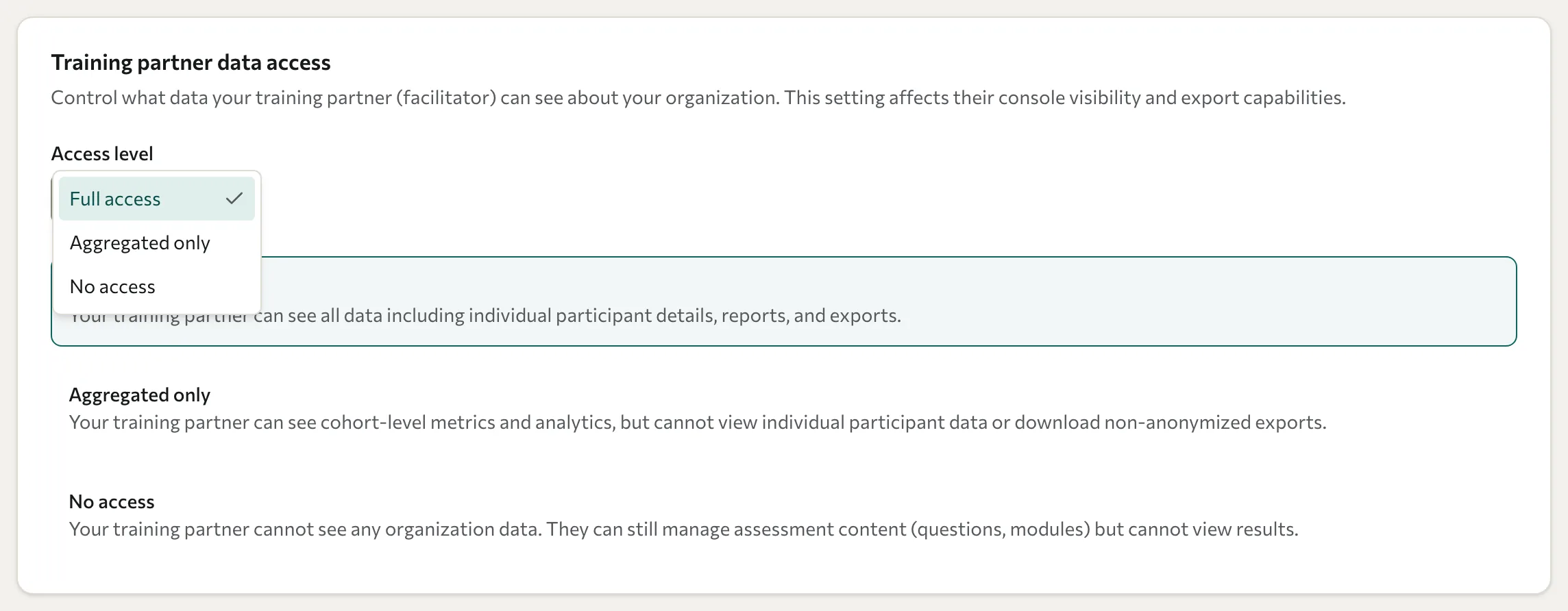
Change the setting
- In the Portal, select Settings.
- Under Training partner data access, open the Access level menu.
- Select the level you want. Datatrap saves your choice straight away and shows Privacy settings updated.
What each level means
The Settings page describes each level as follows.
| Access level | What your training partner can see |
|---|---|
| Full access | All data, including individual participant details, reports, and exports. |
| Aggregated only | Cohort-level metrics and analytics, but not individual participant data or non-anonymised exports. |
| No access | No organisation data. They can still manage assessment content (questions and modules), but cannot view results. |
If you're unsure which level to choose, agree it with your training partner first. A lower level can hide data they use for reports or one-to-one feedback.
What your training partner sees at each level
The level applies to every kind of assessment your organisation takes part in, including surveys, quizzes, scored assessments, and 360 feedback.
Aggregated only
- Your training partner sees figures across a group only when the group has at least 3 people. For a smaller group, such as a wave, a question, or a scoring dimension, their Console shows that too few people answered instead of the figures.
- On the live dashboard of a running wave, they see the totals and summary charts, but not individual answers as they arrive.
- Every export is anonymised. It leaves out questions that fewer than 3 people answered, and a wave that fewer than 3 people answered can't be exported. They can't filter an export by date or participant, or export 360 feedback.
- For 360 feedback, they can run the campaign but not read its results. They can add the people being rated and their raters, follow who has finished on the Monitor page (without scores), and see the 360 analytics across everyone.
- They can't open anyone's 360 report, its PDF, or its written comments, or see pulse survey results. Their Console shows "This organisation does not share individual results with training partners." instead.
- They can set up and send pulse surveys, but can't see each person's focus areas.
- They can't run AI theme analysis on a 360's written comments. Theme analysis on your other assessments still works.
No access
- Your training partner's Console shows "This organisation does not share its results with training partners." in place of analytics and the live dashboard.
- They can't export your data, and your waves don't show how many people have answered.
- When they compare surveys across their clients, your organisation's waves are left out.
- For 360 feedback, they can still create and edit the campaign and its rater categories. They can't see the people being rated, their raters, completion, reports, or comments, and they can't set up pulse surveys. The Roster, Monitor, Results, and Pulse pages show the same notice.
Before you change the level
- Changing the level does not recall files your training partner has already downloaded.
- An export without names or email addresses can still identify someone, for example through a written answer or a very small group. Review files before you share them.
- The minimum group of 3 helps protect individual answers, but it can't prevent every way of working one out. For example, comparing a wave's figures when 3 people had answered with its figures after a fourth person answered can reveal that person's answers. An unusual word in a written answer can also point to who wrote it.
- A change takes effect straight away. If you lower the level, a training partner watching a live dashboard stops receiving answers within a few seconds.
For a personal data request, see Request access, correction, or erasure. For Portal roles, see Roles and permissions.