Analyse written responses
Explore word clouds and AI-generated themes, then check the original responses.
Open an assessment in Analytics and choose Open text. Select the wave you want to analyse. You need submitted answers to open-text questions.
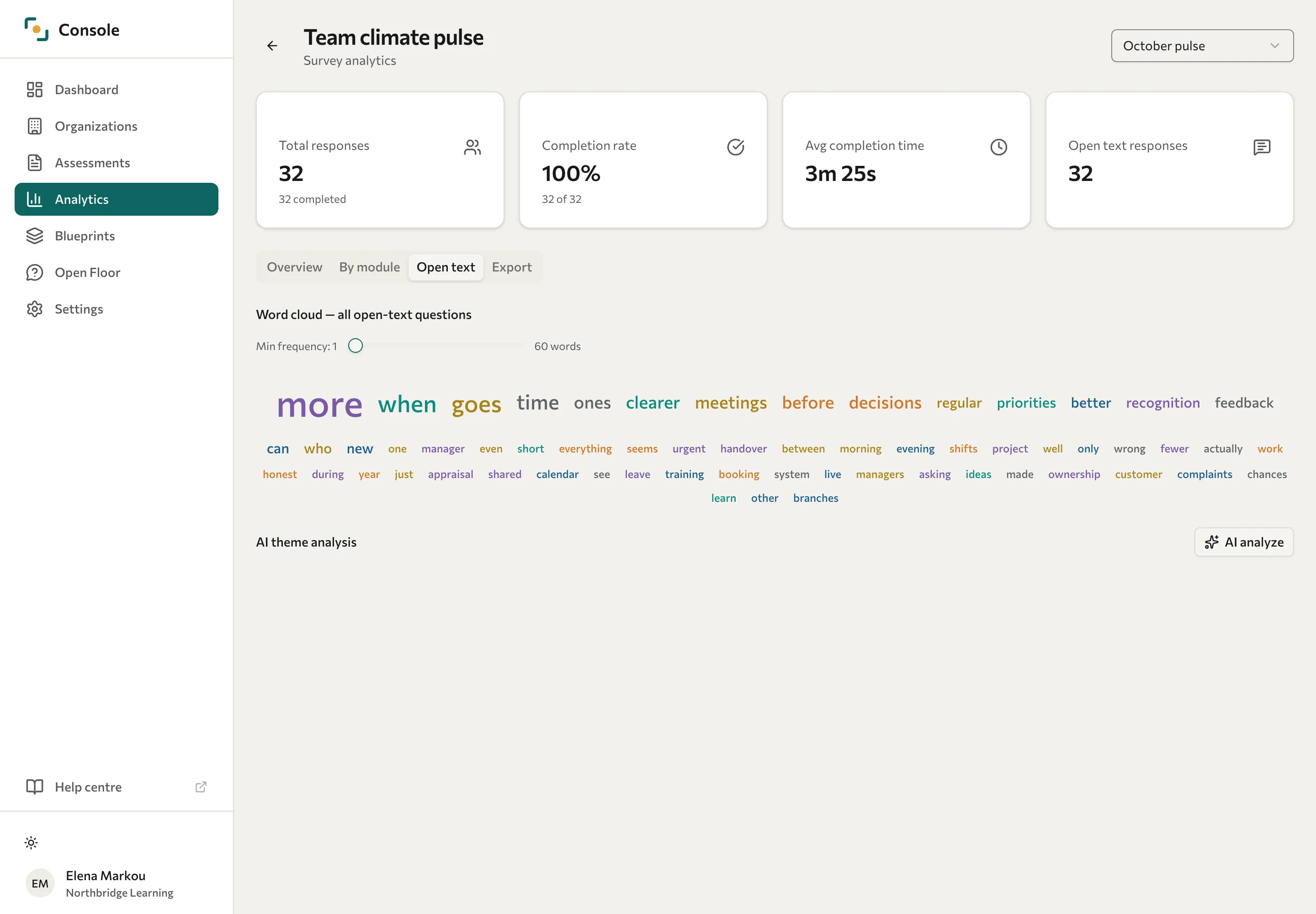
Explore words and themes
Word clouds show frequent words in the available responses. Use the question controls where provided to focus the view on a particular question.
Run AI theme analysis
- In AI theme analysis, select AI analyze.
- Check the estimate. The dialog shows the Responses to analyze, the Estimated tokens (a measure of how much text is sent), and the Estimated cost in US dollars. It also says that the response texts will be sent to an outside AI service for analysis.
- Select Analyze to start, or Cancel to stop without sending anything.
The analysis runs in the background, and Datatrap shows "Theme analysis complete." when it finishes. Review the theme names and descriptions, sentiment labels, frequencies, and representative quotes.
If the run fails, Datatrap shows a message that starts "Theme analysis failed." If it hasn't finished after 2 minutes, Datatrap shows "Analysis timed out. Please try again." In both cases, select AI analyze to run it again.
A theme can be labelled positive, negative, neutral, or mixed. These labels summarise wording; they are not a diagnosis of how a person feels. Read the original comments before drawing conclusions or presenting a finding to a client.
When the organisation limits what you can see
Each client organisation chooses in the Portal what its training partner can see. Theme analysis quotes written answers and sends them to an outside AI service, so:
- On a 360 assessment, theme analysis needs Full access. If the organisation chose Aggregated only, the Open text tab shows no themes, and selecting AI analyze shows "Failed to fetch cost estimate. Please try again."
- On any other assessment, theme analysis works with Full access or Aggregated only.
- With No access, the analytics page shows "This organisation does not share its results with training partners." instead of its tabs.
Only the client's admin can change the level. See Manage training-partner data access.
Handle sensitive comments
Written answers can identify people even when names have been removed. Review quotes before sharing them, and consider whether the group is large enough to protect contributors. For 360 feedback, category thresholds and comment moderation affect which comments can be included.
AI analysis uses an external service and can misinterpret context, sarcasm, or specialist terms. Use it to support a review of the responses. If analysis keeps failing on an assessment the organisation shares in full, ask your administrator to check the service configuration and your access.
See Analyse results and Export response data.